Access Windows Recovery Environment
If you don't have a Windows7, Vista or server 2008 DVD then download:
Note: Some Download links had to be removed due to alleged copyright infringement, even know the links were to the owners website.....
WinRE is accessible from the Windows 8 Enterprise 90 day demo, which is available from here: http://www.microsoft.com/en-gb/business/products/downloads-and-free-trials.aspx
Other Windows Downloads can be found here:
http://www.windowsreinstall.com/win8/installs/installfromdownload/index.htm
USB creation tool is available here
Download files then use the Windows USB/DVD creator tool to make your bootable WINRE disk/key
Required:
A Windows 8, Windows7, Vista, server 2008 DVD or WINRE bootable disk/USB key..
Your computer
To access the recovery environment, insert the DVD or bootable or USB key. The DVD/CD/USB key should run on boot of your PC. If not then make sure the drive is set to first boot in the BIOS, see this Win7 BIOS guide for more info.
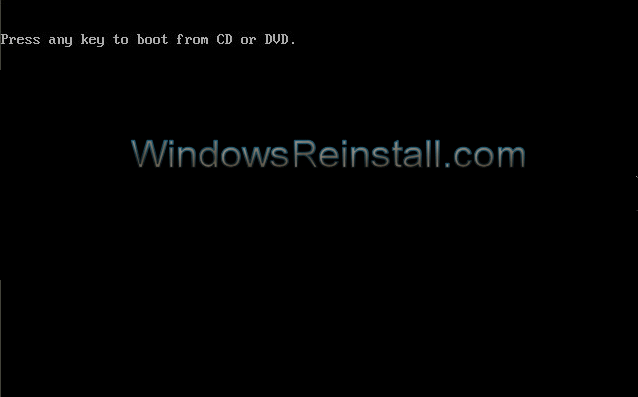
First message you will see is "Press any key to boot from CD or DVD", press space bar to begin the Repair install. If keyboard is not working then enter BIOS and enable Keyboard MSDOS support or USB legacy support.
Refer to your motherboard/PC manufacturer for further information on enabling DOS support for USB keyboards.
/Windowsreinstall/winre/repairstartup/indexf1.gif)
Windows will begin to load..
/Windowsreinstall/winre/repairstartup/indexf2.jpg) Win7 will now start the repair/install procedure. Win7 will now start the repair/install procedure. | |
/Windowsreinstall/winre/repairstartup/indexf3.jpg) 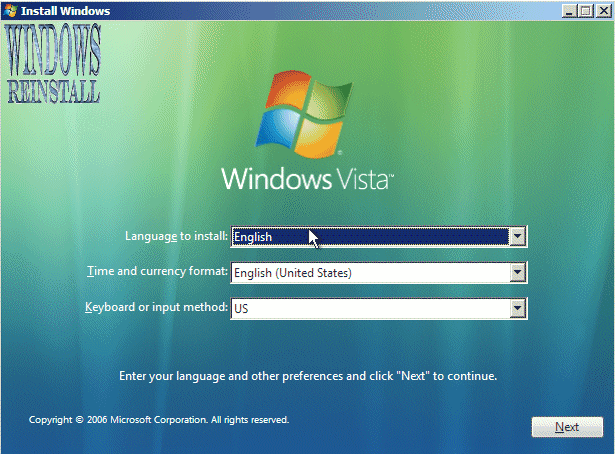 | First you need to select your language, then Time and currency... |
/Windowsreinstall/winre/repairstartup/indexf4.jpg) 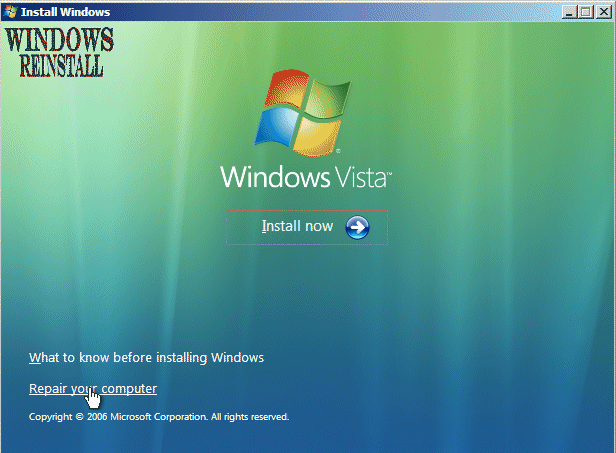 | Now the "Install Win7 " screen will appear, Click on "Repair your Computer" to continue. System Recovery Options will load... |
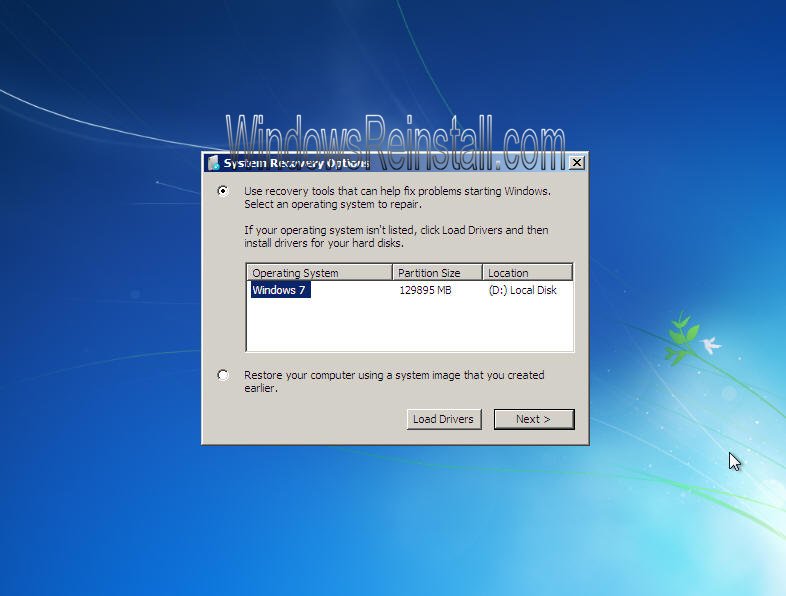 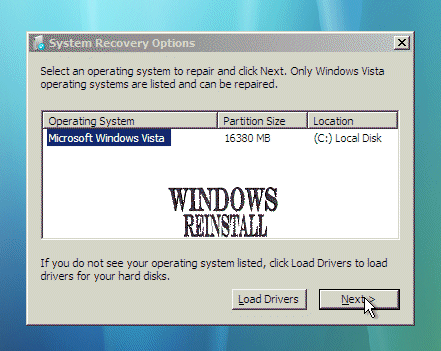 | First you need to select the correct install, click on this in the white box and then click on "Next" to continue |
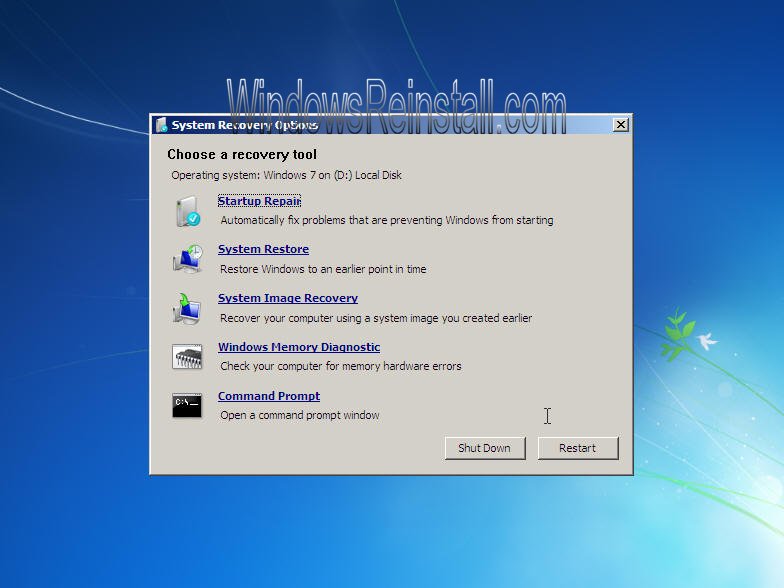 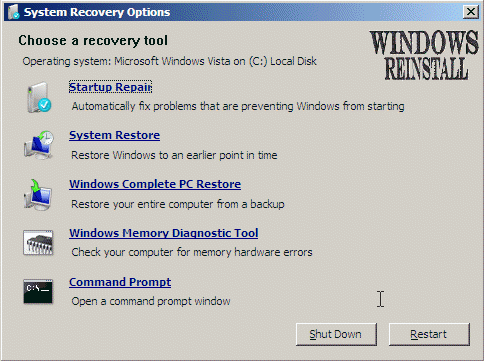 | You have now accessed the WinRE main menu |
THE END
| Tags: Access WinRE, access Windows repair, access windows command prompt, Windows startup repair, Windows Recovery Environment, Windows repair, repair windows 7, repair windows vista, repair windows XP, WINRE, repair windows, fix windows, windows repair | ||
